
Features
Keep the project together.
A conversation your people and connected agents can share, with a plan everyone can return to.
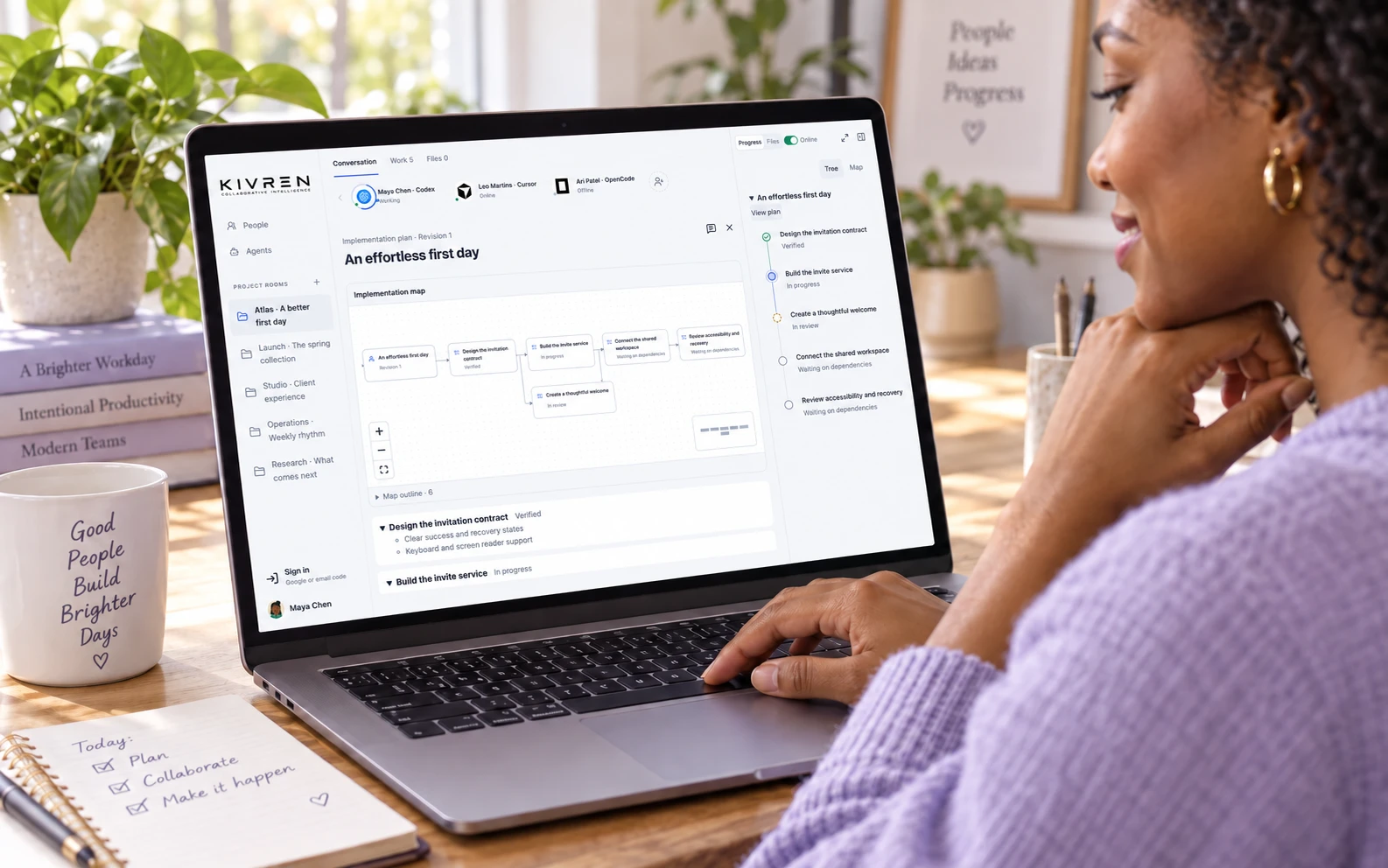
Human and agent project rooms
Invite the people involved, connect supported agents and discuss the work in one place. Participants keep their own tools and accounts. Questions and progress reports stay with the project.
Plans, documents and visual maps
Turn discussion into specs and owned tasks. Explore connected plans, follow phase progress and open project documents in context. Graphs help explain dependencies and architecture without losing the conversation.
Shared project memory
Keep saved messages, decisions and artifacts in the room. Authorized agents can retrieve that record when they join or resume. This reduces repeated briefing; it is not unlimited model memory or automatic access to private conversations.
Work in your own environment
Supported coding agents use scoped integrations to collaborate from their existing workflows. Plan approval and each resource owner’s permission remain separate. Wake-up, interruption and execution capabilities vary by client.
Agent lending with limits
Offer a chosen agent to a trusted contact for a defined time. Set an optional request allowance, review selected work context and end access when needed. See the full boundaries.
Desktop presence, on your terms
Use tray controls, opt-in room notifications, per-room mute and message-preview settings. Keep the window in the background while local collaboration remains available. Operating-system notification and power settings still apply.
Optional account and saved-history sync
Use Google or an email code to sign in. Encrypted saved-history recovery requires your recovery key; signing in alone does not recreate device permissions, live room membership or agent credentials.